

Recently on my latest trip to the grocery store, there was a new type of cart that was available. To call it futuristic would have been an understatement. I mean, it had a freaking NJ weights and measures seal on it. There's a tablet connected to it, and there's at least four cameras, two of them barcode readers on the inside of the cart. Compared to the rest of the carts, this was a Tesla in a sea of Toyota Camrys.
I was with my aunts, grandma, and sister on this outing, the lakwatseras of the house. After a nice morning and afternoon at the mall, it was time to lock in and get some groceries before getting dinner. The first thing my aunt noticed when getting a cart from the usual cart tent was a screen that said something about a computer bug. I didn’t think much of it and thought it was one of her usual yap moments. Then we walked into the grocery store and saw the carts right in front of the produce section. At this point, my other aunt, sister, and I just knew we had to try shopping with this cart.
At first glance, there was nothing new that this cart had to offer to us. A streamlined design, a cup holder, and nice handles. All standard cart features. That’s where the similarities between your everyday shopping cart and this new cart ended. Called Caper Carts, these shopping carts were so advanced that even I was bewildered. (And I was the techie of the house!) As mentioned earlier, these carts had barcode scanners, cameras, and even a weigh scale as part of its design! But before I talk about how we inadvertently stress tested this, let’s talk about who the hell Caper is.
Caper Carts are a subsidiary of grocery delivery behemoth Instacart. You might recognize that name from social media posts about their male shoppers, or the pickup section of your local grocery store that has their logo of a carrot. Beyond their service as a marketplace for shoppers to get their groceries delivered, Instacart also has a slew of products for almost anything related to the grocery store industry. Health benefits to employees, ad sales, business accounts; if a business needs it, Instacart probably has it.
The carts are part of Instacart’s Enterprise product suite. If a company was already part of the Instacart marketplace, the company could further integrate Instacart into their workflows with supply chain management, shelf labeling, and yes, smart shopping carts. As mentioned earlier, these smart carts were kitted out in cameras. Two inside the cart to act as barcode scanners, and one camera on the left and right side of the cart. While consumers may be unclear on what the cameras on the outside are for, the cameras can be used by stores to check stock on shelves in tandem with the location sensors attached to the carts.
That’s right. These carts are not only kitted out with cameras, but also GPSs! Yes, what a society we live in. Where even your shopping carts can be a data point for advertisers. And Instacart does not try to hide this. Any and every physical feature these carts have are heavily promoted on their website, including the cameras and location sensors, especially as they are powered by Nvidia’s own AI. But what was it like to actually use this thing? And do the AI features come across as creepy?
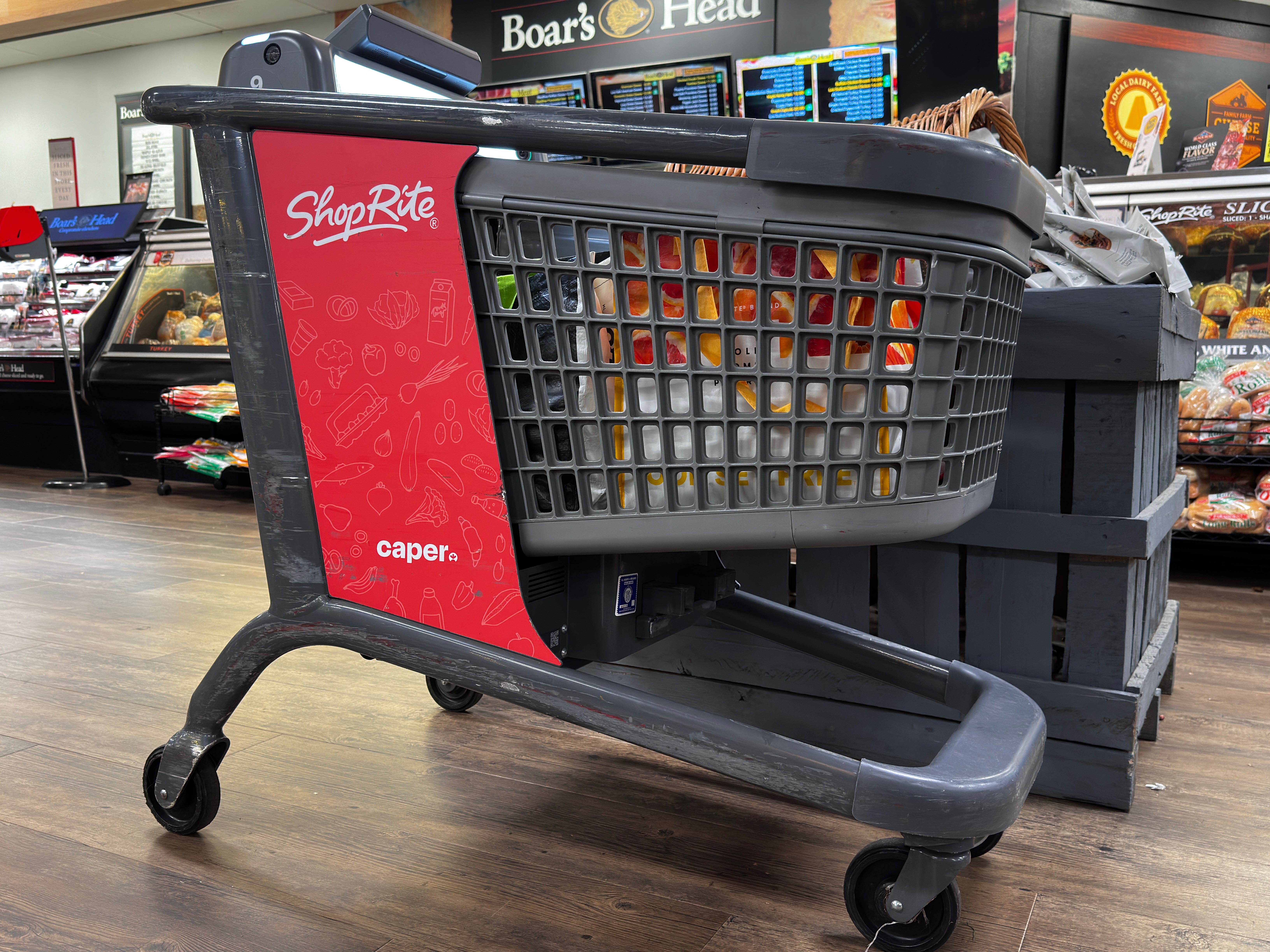
The first challenge that Caper Carts faced was learning how this thing worked. Caper was successful in that sense with introductory videos that played as you took the cart out of its base station. After those videos, the cart prompted the user to sign in to their loyalty program with their phone number. Simple enough onboarding process, right? Getting started is the simplest part, and that’s ultimately what this thing is designed for. Simplicity and convenience. By the time our grocery run was over, everything was bagged up and ready to get loaded into the car.
Walking through the grocery store felt like a breeze with this thing. To be able to wave an item in front of my cart and for it to already be scanned was nothing short of convenient. My favorite ability that the carts have is its inability to go crazy when the scale’s weight is inaccurate to what it should be. The ability for the scale to know when there are bags being rearranged was a small but important feature I didn’t know I wanted. It wasn’t until I remembered every time I had to call someone for help whenever I used the self-checkout counter prior because it would go crazy if I didn’t put the item on the scale 0.01 seconds after scanning it.
However, that simplicity and convenience can backfire. When my aunt was rearranging the products in our bags, the barcode scanners accidentally scanned an item that was already scanned. Thankfully, it was just as easy to remove the item as it was to scan. Additionally, it takes longer than I would have liked for the scale to measure out produce if it was manually added in via the tablet.


The main interface between the user and the products was a decently-sized tablet right up by the bars to hold onto the cart. As we walked through the grocery store, it would make beeps and boops and flash various coupons depending on where we were in the store or the last few items we scanned. The first time a coupon flashed on the screen, it was both creepy and a little cool. Cool in the sense that the carts are able to do that, creepy in the sense of “oh, this thing knows my location at all times while I’m using this thing.” After a while, the noises became quite incessant as we moved through the aisles and the sections of the store. While Instacart markets these features as “gamification,” it becomes more of a nuisance as you’re shopping. (Which appears to be the point? As Instacart also has “faster turnarounds” as a marketing point? Big Tech in legacy spaces is weird.)
By the time we needed to check out came along, things only soured from there. Caper and Instacart have different configurations of their carts regarding payment. According to their promo images, some carts can have a payment terminal built in, but the particular store I was at didn’t have that. Instead, I had to have an employee check my cart before going into the self-checkout lane and pay there instead. From what I could make out, there was an app that the employee needed to look through to make sure what we had in our carts was accurate. After the employee said we were good, a barcode was generated on the tablet screen to scan at self-checkout.
In theory, there would have been an employee roaming around the grocery store to be able to assist us, especially to review our carts. After all, these things had a GPS system, so staff would be able to track carts. In practice, it was a waiting game to see if someone would come to us. After about five or so minutes of no one coming, we ended up approaching self-checkout and asked the employee there to help us. She was chill and able to get us on with our day, but if the whole point of these carts were to be convenient enough to skip the line at checkout, why did we still need to go to checkout? Questions upon questions.
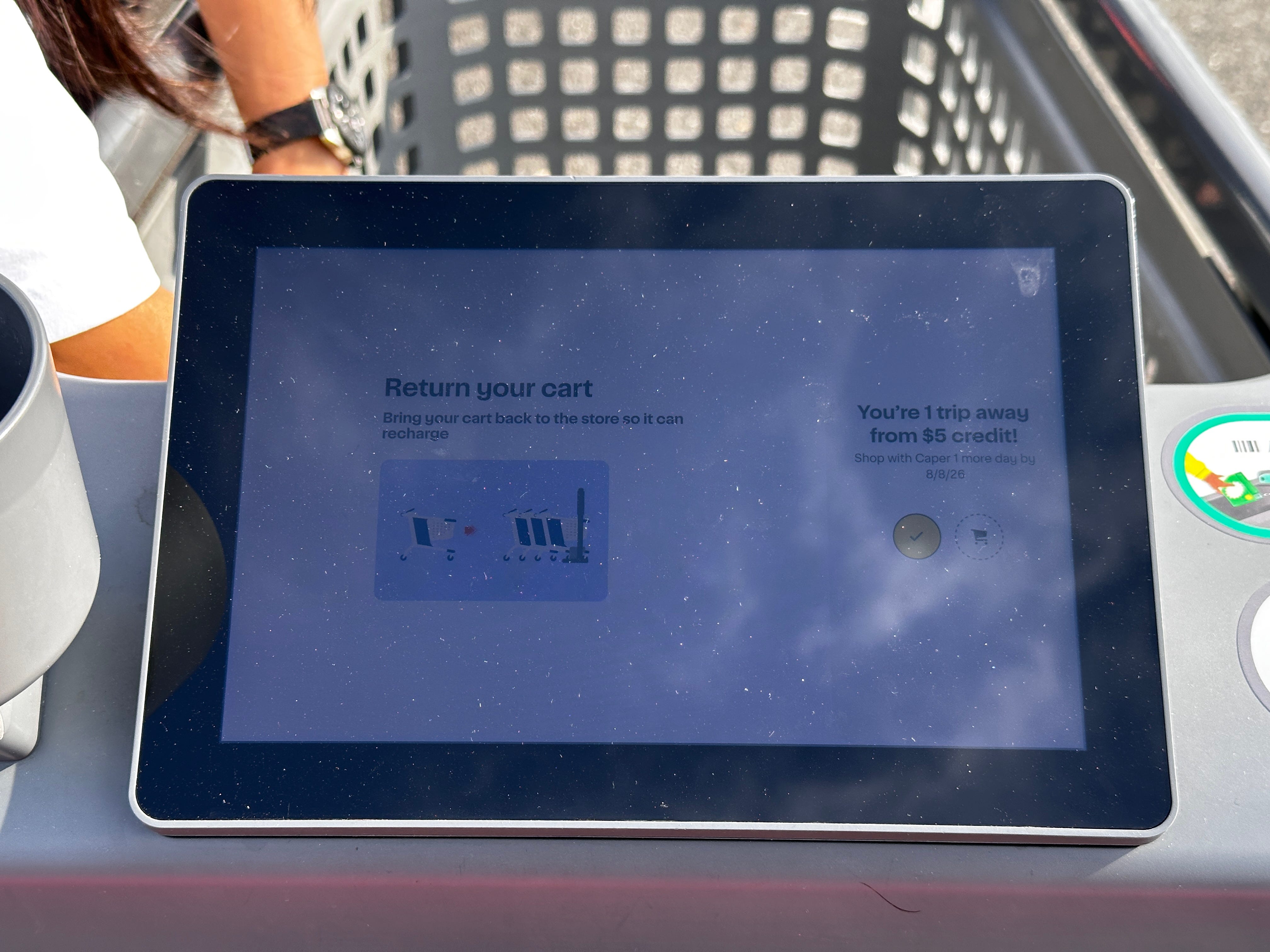
The Caper Carts were a novelty that broke the day-to-day of typical grocery shopping. A new cart that showed up seemingly out of nowhere with these bells and whistles? Of course that’d be intriguing to shoppers! That’s who I was when I saw these carts. But the experience of actually using the carts felt more like a tech demo for what they could do instead of being able to do the job. It’s “it factor” is in its convenience, but maybe there might be such a thing as too convenient. Not to mention the bright colors and sounds that come with coupons, the disconnect between expectations from Instacart and the reality of grocery shopping, and ultimately who these things are targeted at.
The Caper Carts are marketed as the ultimate form of convenience for shoppers. Everything that a shopper would need to shop would be on-device. Customers wouldn’t need to bring the weekly circular, find a kiosk, or check their phones for coupons and discounts. It would show up on device based on what the shopper might need at that moment. Customers wouldn’t need to wait in line for someone to scan and bag their items and pay at the register. They could pay right from the pre-bagged cart that’s ready to get loaded into the car. But all of this comes at a cost for customers.
It should be obvious as to why technology that uses location and optical recognition can be bad for privacy concerns. Instacart advertises this technology to increase sales by promoting deals right in front of the user. But should a data leak happen from either the grocery store or Instacart, the link between a user and its data could not be any more clearer. Loyalty accounts are tied to phone numbers, and with every metric that a store has, it can be sold to data brokers for top dollar.
Now, do I think that there is a time and place for the Caper carts? Yes, absolutely. But there’s also something to consider: who gets access to these carts? While ShopRite as a whole is a recognizable brand, the brand is technically a franchise. My local ShopRite isn’t owned by the people who own the ShopRite that these carts are available. And knowing what I know, they both serve certain clienteles that don’t necessarily have the best history.
What Instacart is doing is something worth keeping an eye on. With most stores offering self-scanning as part of the self-checkout experience, the Caper carts are the next evolution in that experience. Yet the carts are doing too much, too fast. The carts are powered by AI, link and collect your data in brazen ways, and are still prone to error, all while still relying on humans to prevent theft. If I were in that room when these carts were pitched, I would’ve started small with just having the carts and scanners inside the cart. No need for the cameras that face outwards, honestly.